 Chiro Lab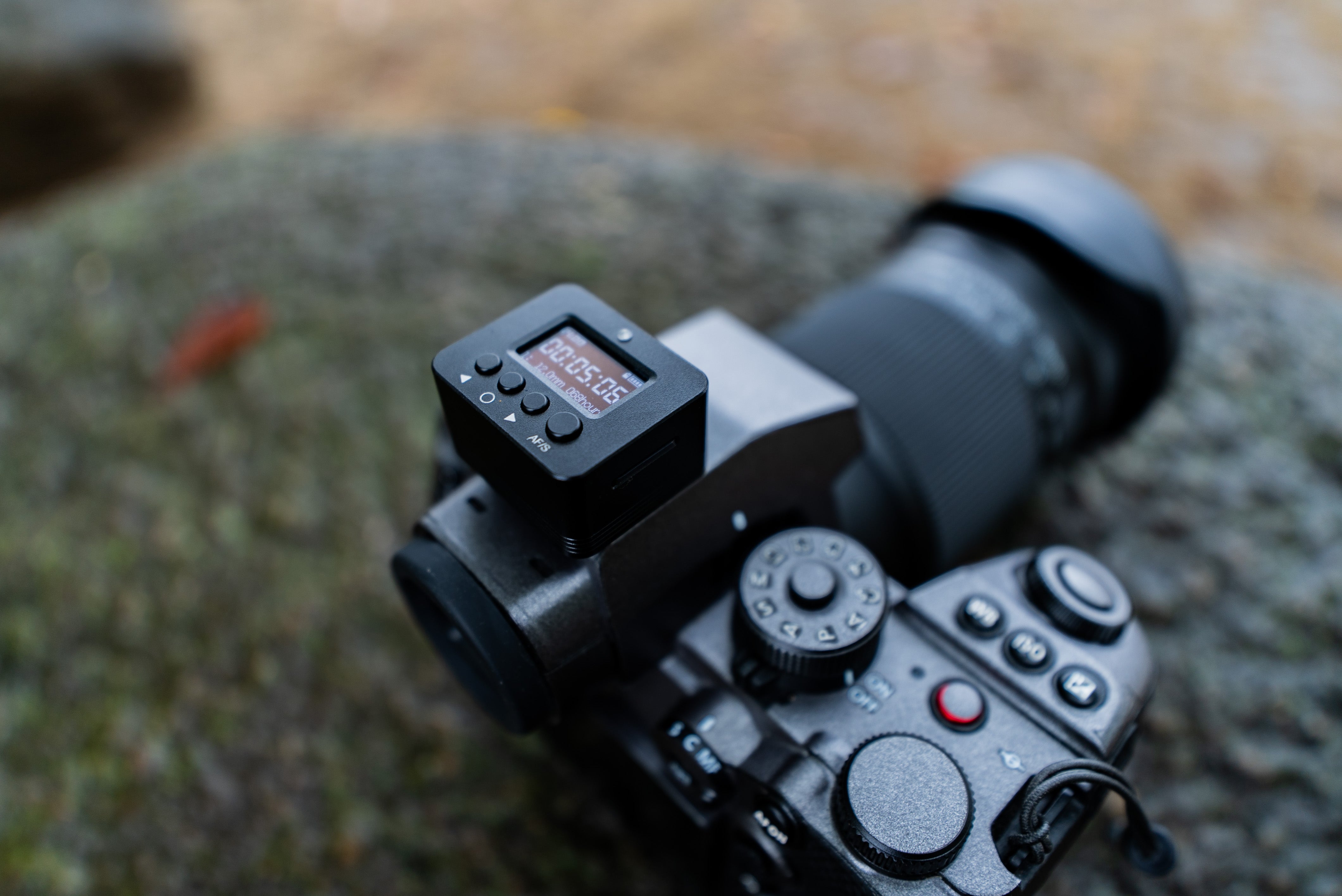
This review is the blog companion to the video above. (The video is in Japanese.)
The video that looked as smooth as if it were shot on a tripod came from a small external sensor called the Senseflow A1.
It's neither a Sony nor a Blackmagic product, and it claims to make "gyro stabilization" possible on any camera.
In this post I review how it works and how well it actually performs. I hope it helps anyone considering stabilization without a tripod or a gimbal!
What's gyro stabilization?
The basics of a gyro sensor
A gyro sensor detects the rotation and tilt of the camera in real time, and records the angular velocity (how fast it rotates) as numbers.
Using this data to stabilize the footage after shooting is "gyro-based stabilization".
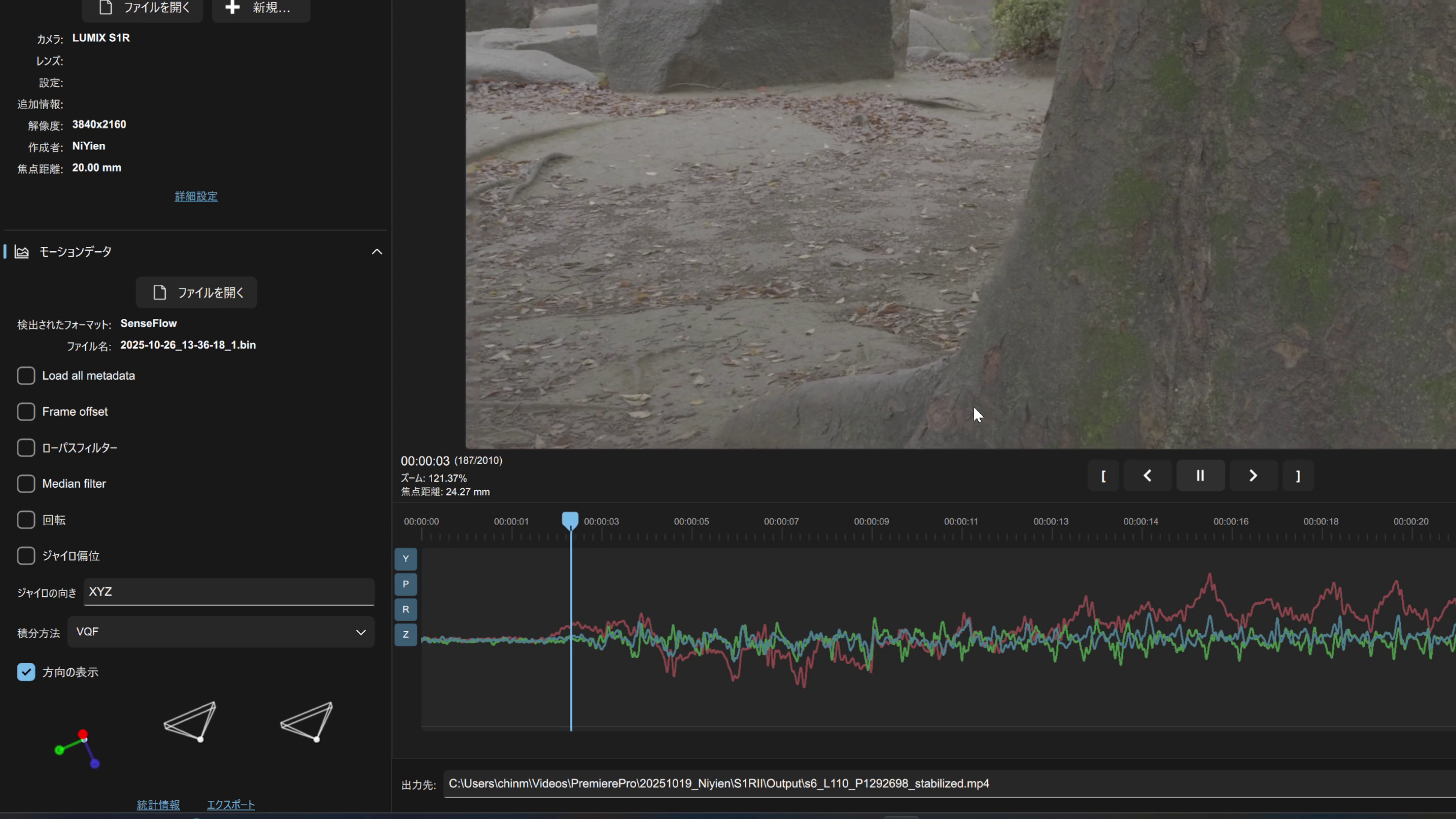
Sony's Catalyst Browse / Prepare is Sony's own stabilization tool. (It actually does much more than stabilization.) It costs around 20,000 yen a year, and I find the UI not very polished.
Gyroflow, which I introduce here, is free, and it can use the gyro data recorded inside Sony cameras as well.
Limits of Sony's internal gyro
Sony cameras automatically record gyro data while shooting, but there are limits:
- High frame rates such as 120fps, 240fps and S&Q mode aren't supported
- Some compression formats don't record the data (so I've heard)
As far as I could check with my own ZV-E1, gyro data was recorded with every codec at 4K 60fps.
This is where the Senseflow A1 comes in: an external gyro that works with any camera.
What's the Senseflow A1?
It's an external gyro sensor sold by a maker called Niyien, and a mysterious piece of gear about which there's hardly any information online.
I bought one and tried it. Here's what I found:
- About the size of a small recorder
- Mounts on the camera's hot or cold shoe
- Records angular velocity with a button press
By loading this data into Gyroflow, you can stabilize footage independently of the camera.
What's Gyroflow?

Gyroflow is free, open-source software.
It reconstructs the camera's motion from "footage plus a motion log" and cancels the shake physically.
Ordinary stabilizers analyze the movement in the footage and correct it, whereas Gyroflow corrects using the motion that was actually recorded, so the result feels more naturally stable.
It supports both Sony's internal gyro data and the external data from the Senseflow A1,
so in practice gyro stabilization is possible on any camera.
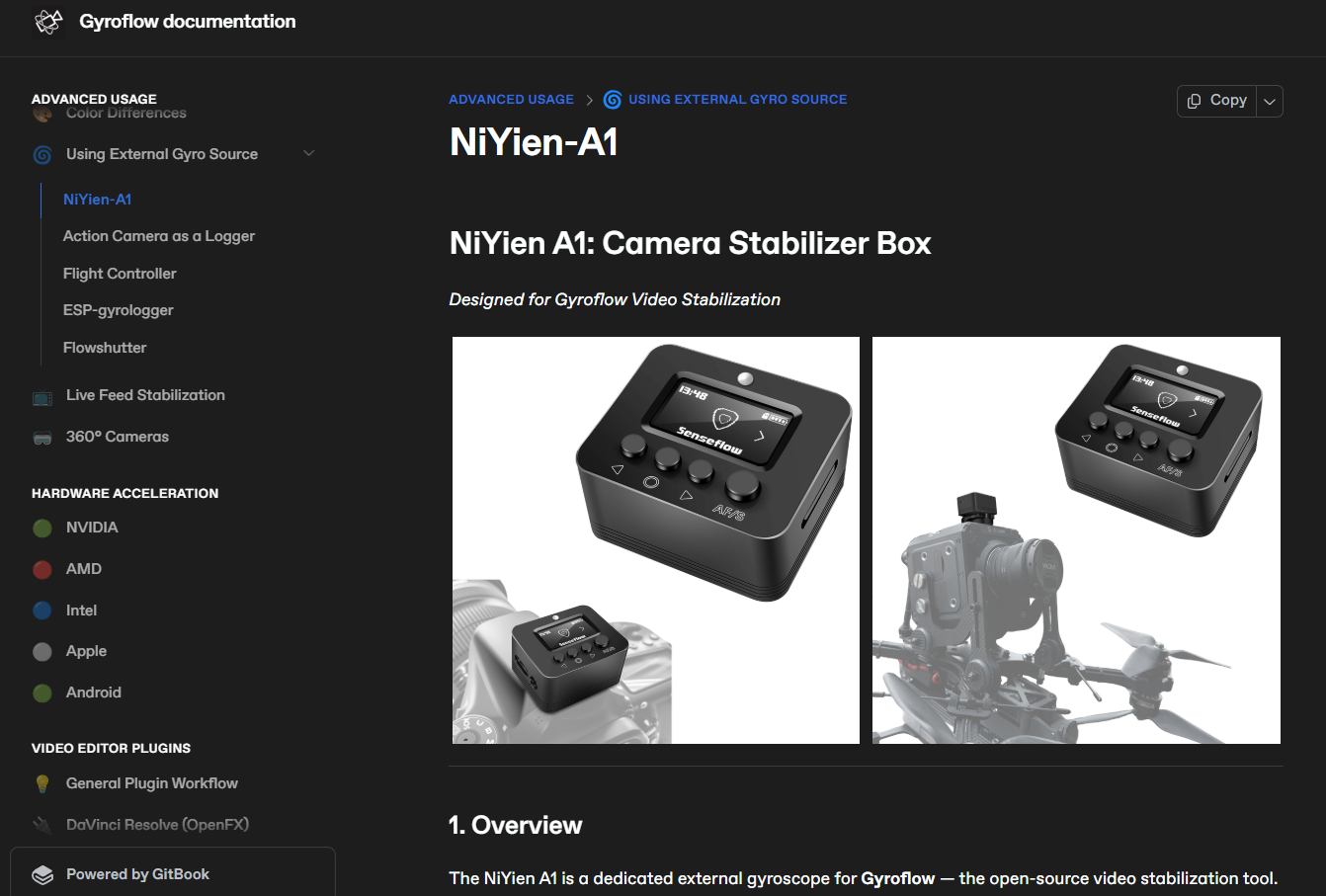
Gyroflow's NiYien-A1 support page
https://docs.gyroflow.xyz/app/advanced-usage/using-external-gyro-source/niyien-a1
Testing with the LUMIX S1RII
The camera I used at CHIRO-Lab was a LUMIX S1RII.
I compared LUMIX's in-camera stabilization against Gyroflow's correction.
The best results came from the methods below.
| Test | Best method | Notes |
|---|---|---|
| Walking shots | Gyroflow | Up-and-down shake greatly reduced |
| Panning | Gyroflow | A slight stutter remains |
| Telephoto, fixed framing | LUMIX electronic stabilization | Tripod-like stability |
| Close-ups | LUMIX electronic stabilization | Slightly unnatural when the subject distance changes |
As a result, Gyroflow was overwhelmingly smoother for panning and walking scenes.
For close-ups and macro-like shots, Gyroflow did fine, but when the framing is held fixed, my impression is that LUMIX's own electronic stabilization is better.
However, whenever the camera moves even a little, I think gyro-based correction will look smoother. One example is making a panning (follow-shot) video.
Combining it with DaVinci Resolve's analysis-based stabilization gave very natural results. In other words, a "physical x analytical" hybrid correction is the most realistic approach.
Summary: a "third option" for stabilization
The Senseflow A1 + Gyroflow correction was indeed powerful.
The smoothness in panning and walking shots, in particular, is better than in-camera correction.
There are downsides, though.
-
Lower image quality from cropping
To stabilize the video, the frame is cropped, so the image quality naturally drops.
To make a high-quality 4K video, you need to shoot at 5K or higher.
If you don't care about image quality, it's fine. -
The work of syncing data
A few clips are easy, but as the number of clips grows it becomes surprisingly tedious. -
The risk of a recording mistake
If you forget to switch the A1 on, that's it, so be careful.
Also, when shooting on a tripod, there were cases where the gyro data and the video didn't sync well.
Even so, I think it's an attractive option if your camera has no stabilization, or if you aren't a Sony or BMPCC user.
It makes stabilization possible on any camera.
My impression is that the Senseflow A1 is an external gyro that really does the job.
If there's interest, I plan to introduce the steps for stabilizing footage with the NiYien tool and Gyroflow, including a thorough explanation of how to sync the video with the gyro data.
I was half in doubt about whether "any camera can be stabilized with Gyroflow", but when I actually tried it, I was surprised by the accuracy of the external sensor.
If you want "physics-based stabilization", the Senseflow A1 is definitely worth trying. I think it could be useful even on shoots where you have no money or time to prepare special equipment. Please consider it as one of your options.
*This post and the video aren't sponsored in any way.
Written by: Kirin @ CHIRO-Lab
Video: Go to the YouTube channel
Comments